
Advertisement
Photo Accuracy Matters
How to photograph your BJD on the official grid backdrop
The Size Grid Backdrop
The grid backdrop turns one photo into a useful reference.
Without a consistent measurement backdrop, it becomes much harder, even impossible, to judge scale, straightness, posture, limb length, and camera distortion. The grid helps other users see whether the doll is centered, level, and photographed from a fair angle. It also makes archive images more comparable over time.
Better comparisons
Users can line up body proportions and silhouettes more confidently.
Cleaner moderation
Clear rules reduce resubmissions and make image review faster.
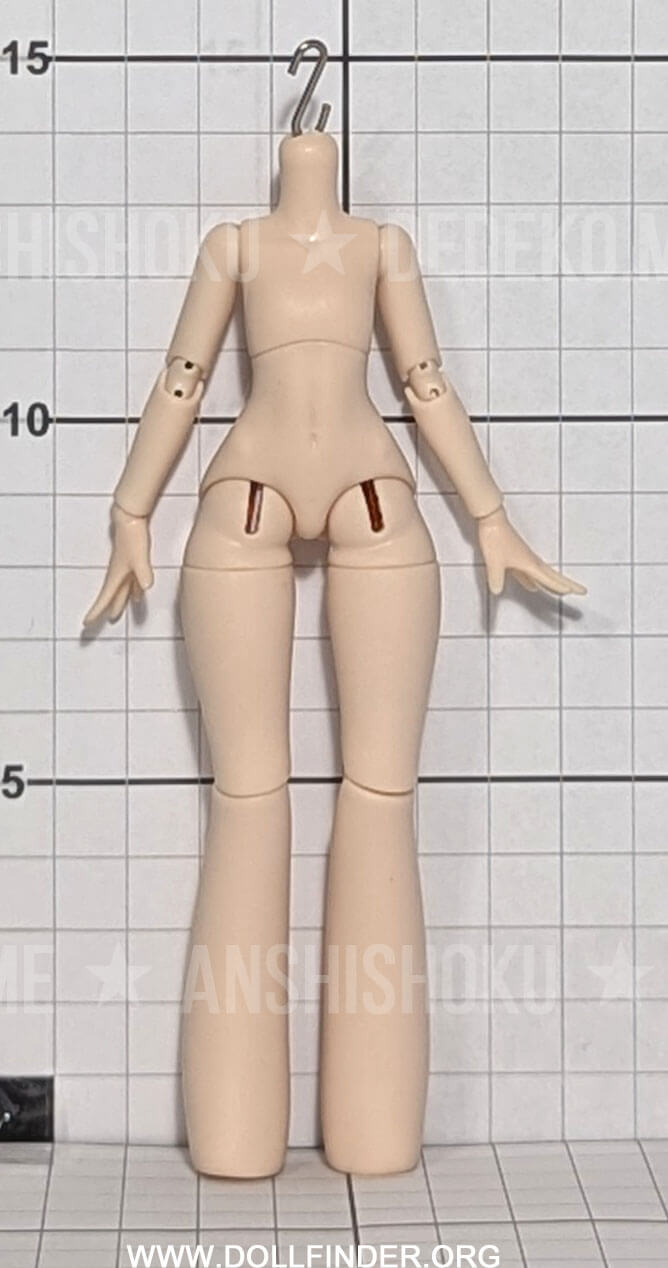
Submission Example
Aim for a straight, centered, front-facing full-body photo. The doll should not lean outside the grid, and the camera should not distort proportions from too high or too low an angle.
For the visual learners, I gotchu!
Video Tutorials
Printing & Calibration Steps
Step 1
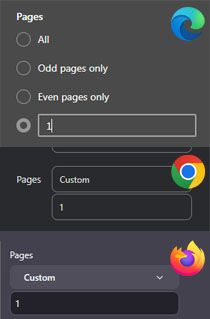
Isolate Page 1 for Testing
Step 2
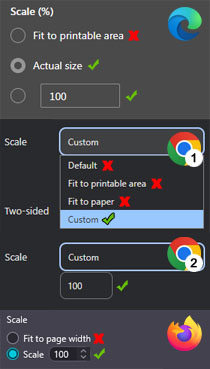
Verify Printer Settings
Step 3
Checking scale accuracy
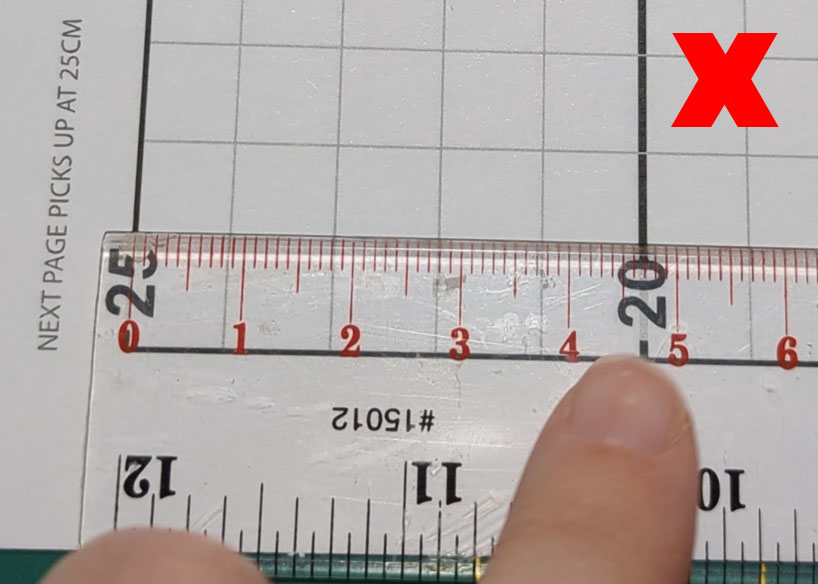
Measurements are not 5cm apart. Check your print settings.
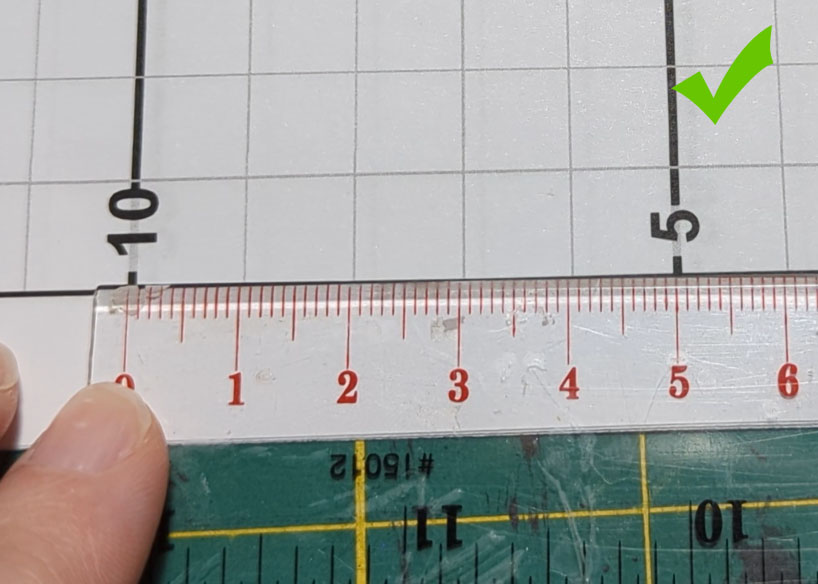
Measurements are 5cm apart, so the grid printed correctly! Check a different section to be sure!
Printing Notes
Assembling the Grid
Step 1
Step 2
Step 3
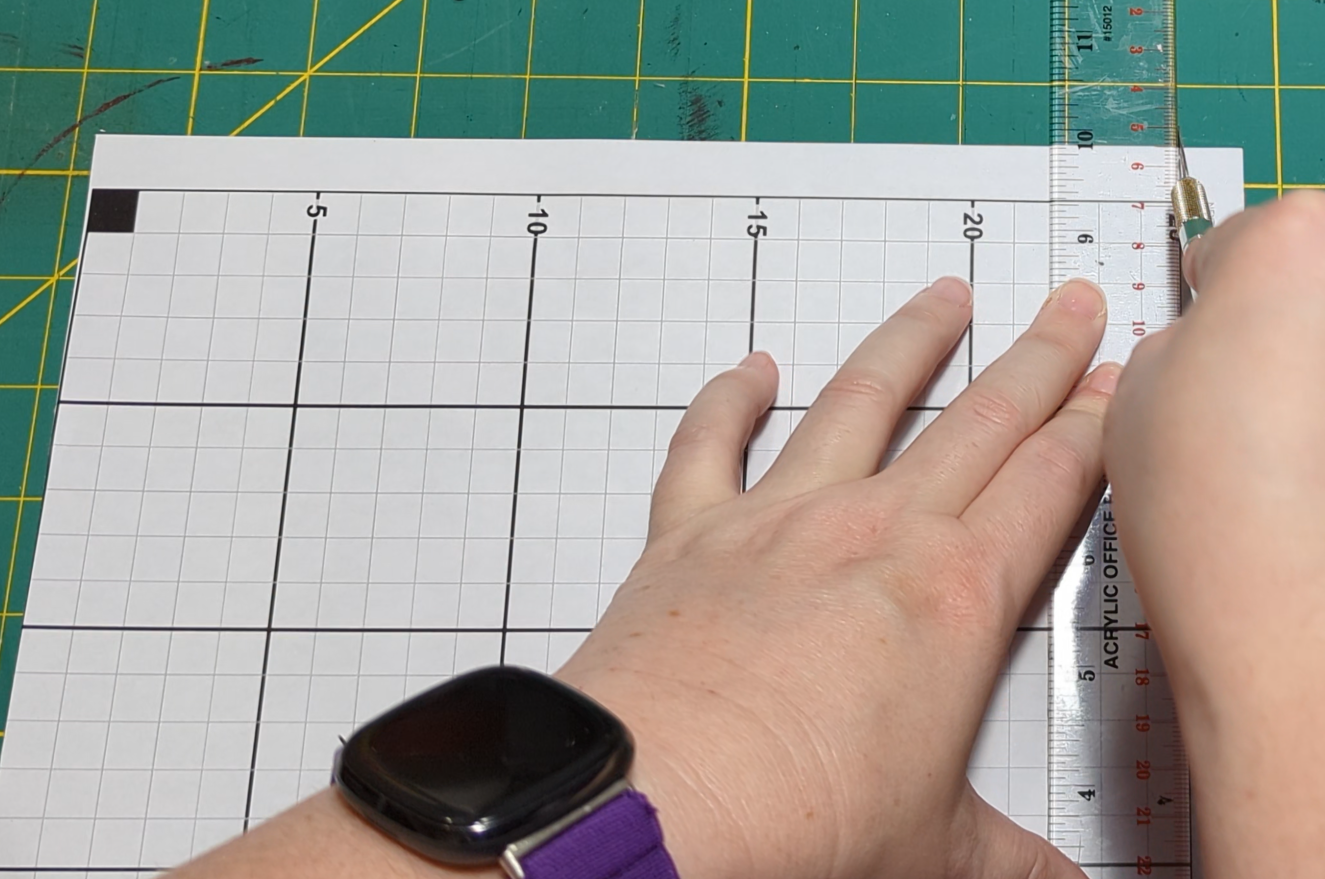
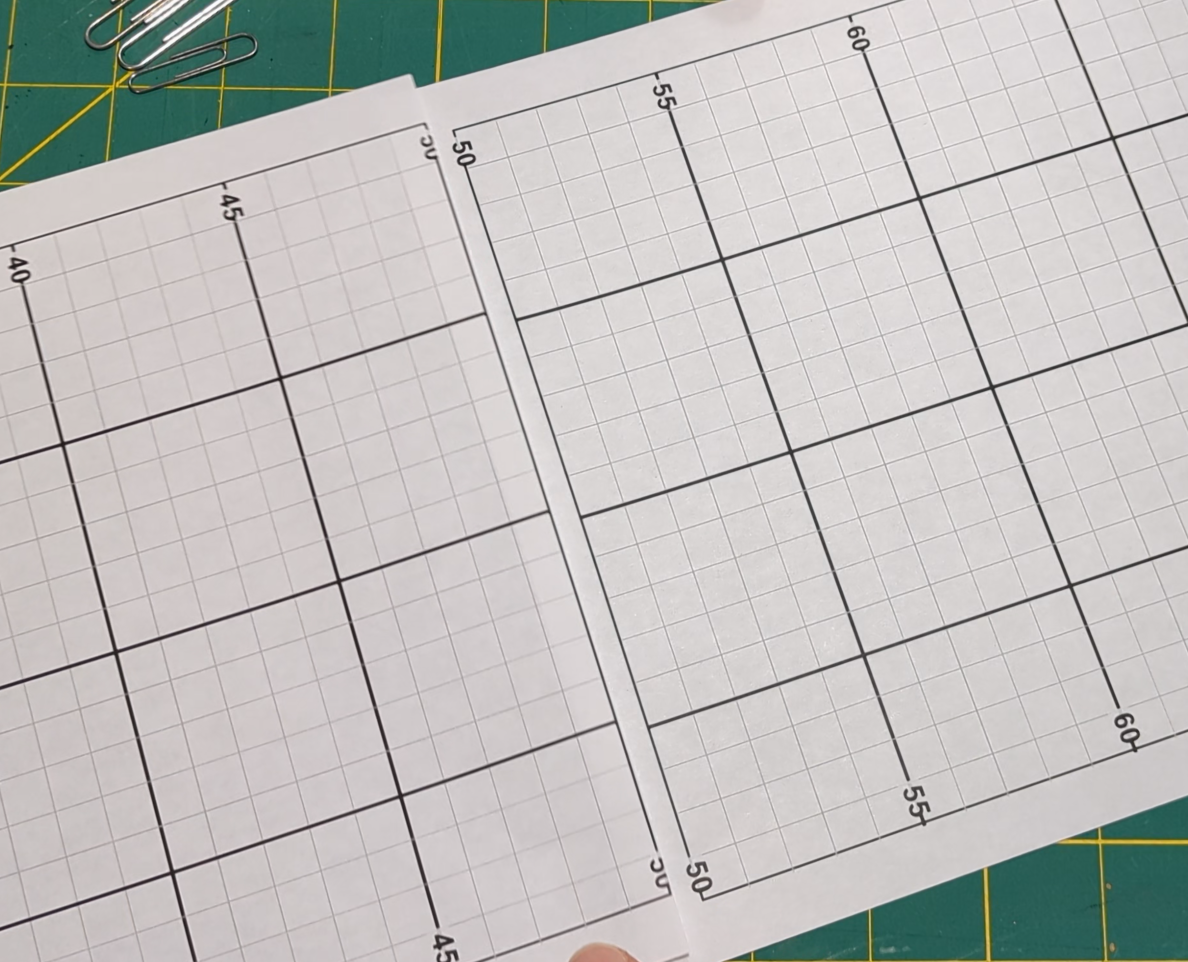
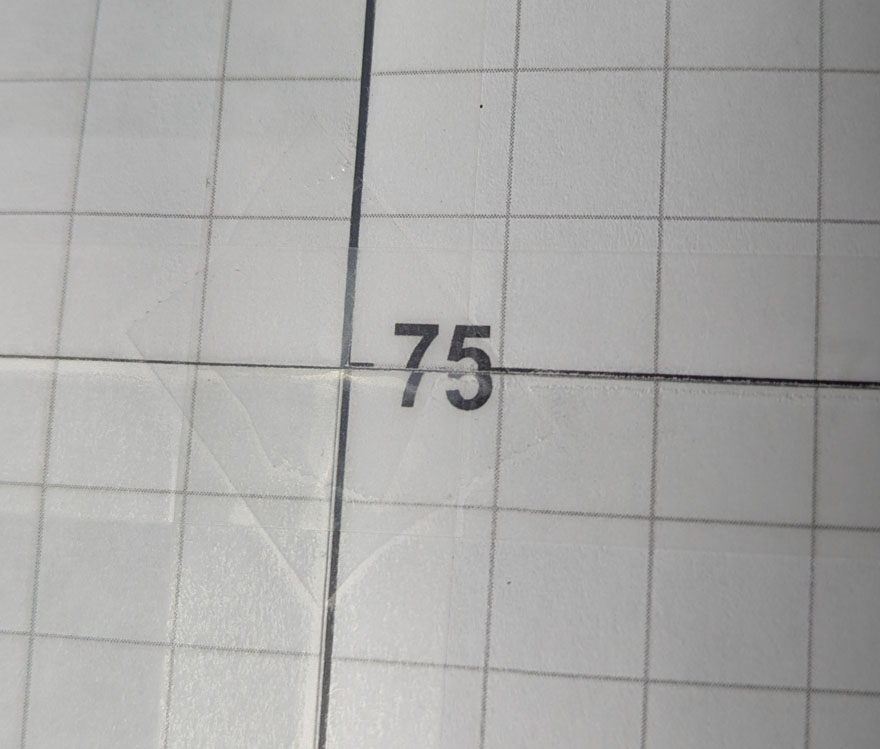
It is okay if the numbers don't match up, just make sure the lines do!
Multi-width Assembly
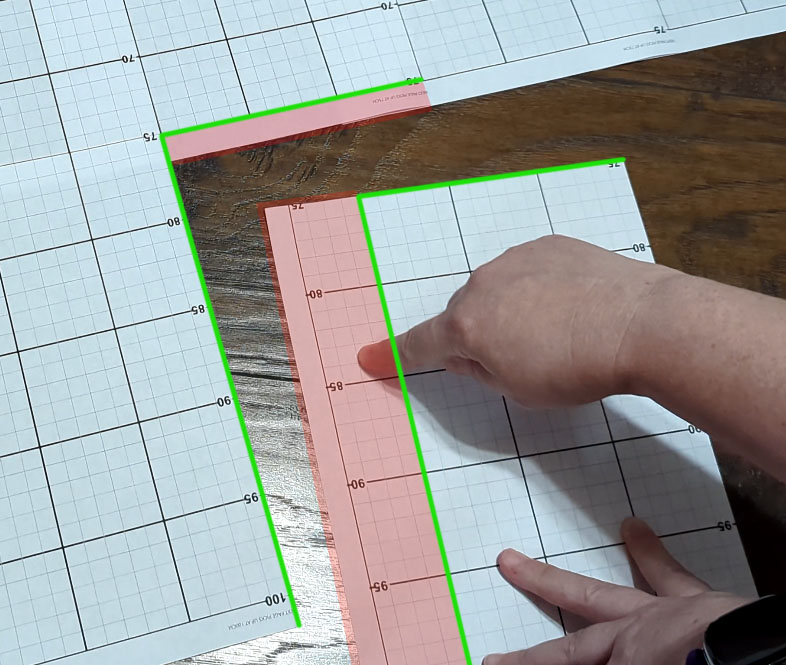
Tuck the red parts under so that the green lines come together.
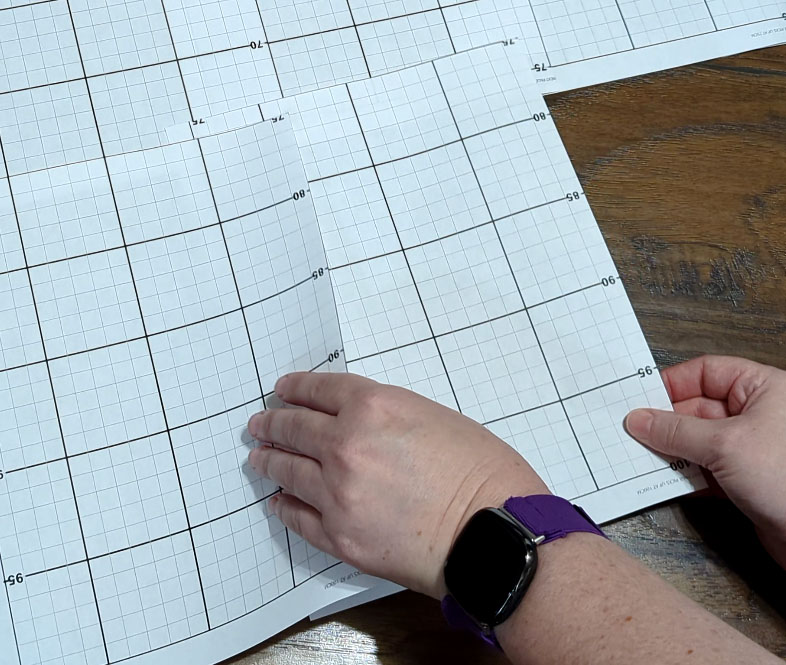
It can be challenging to align multiple X and Y axis lines accurately. Use slow, micro adjustments rather than large movements to fine-tune the alignment.
Setting up the Grid
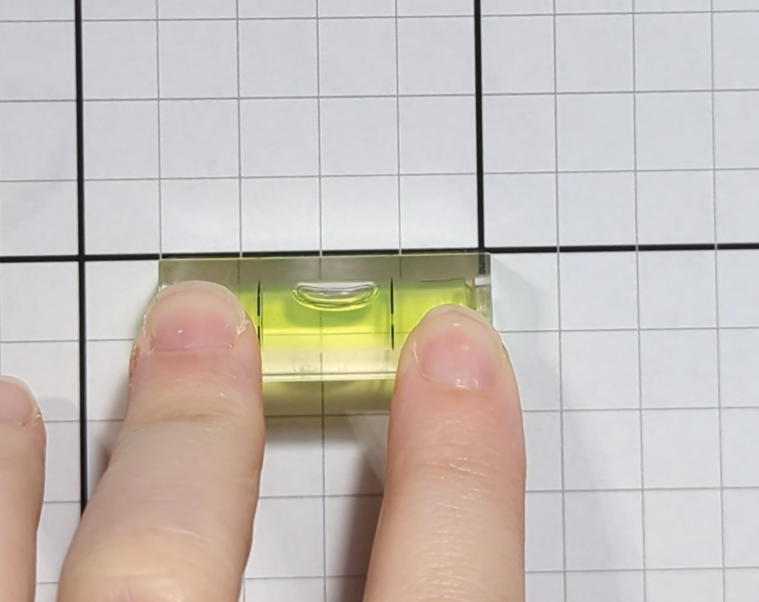
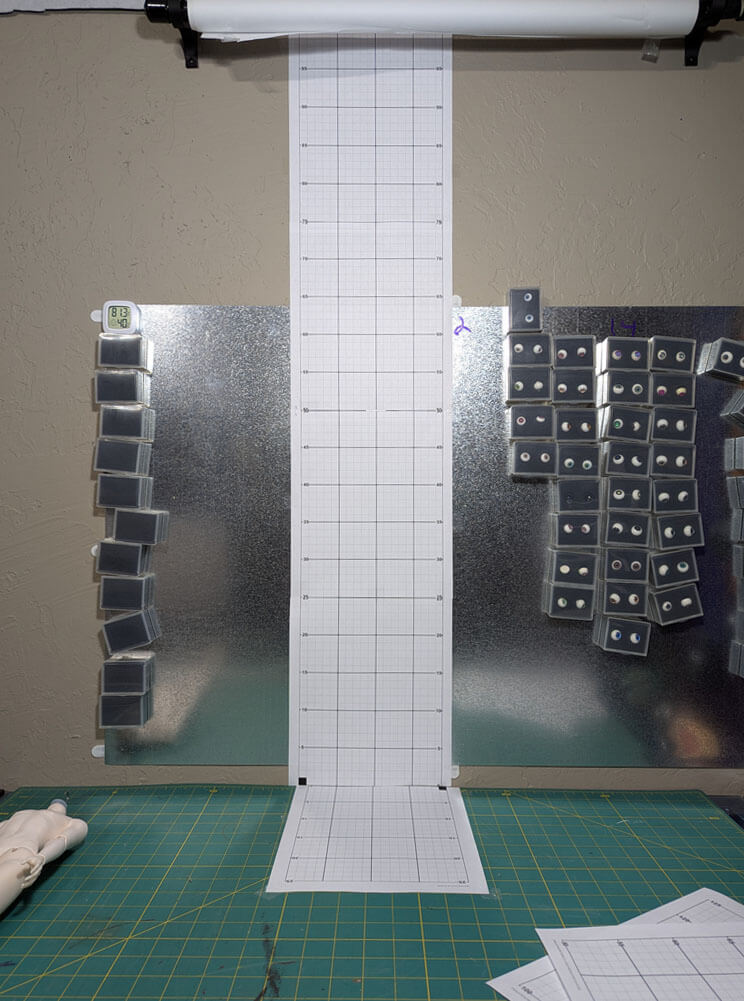
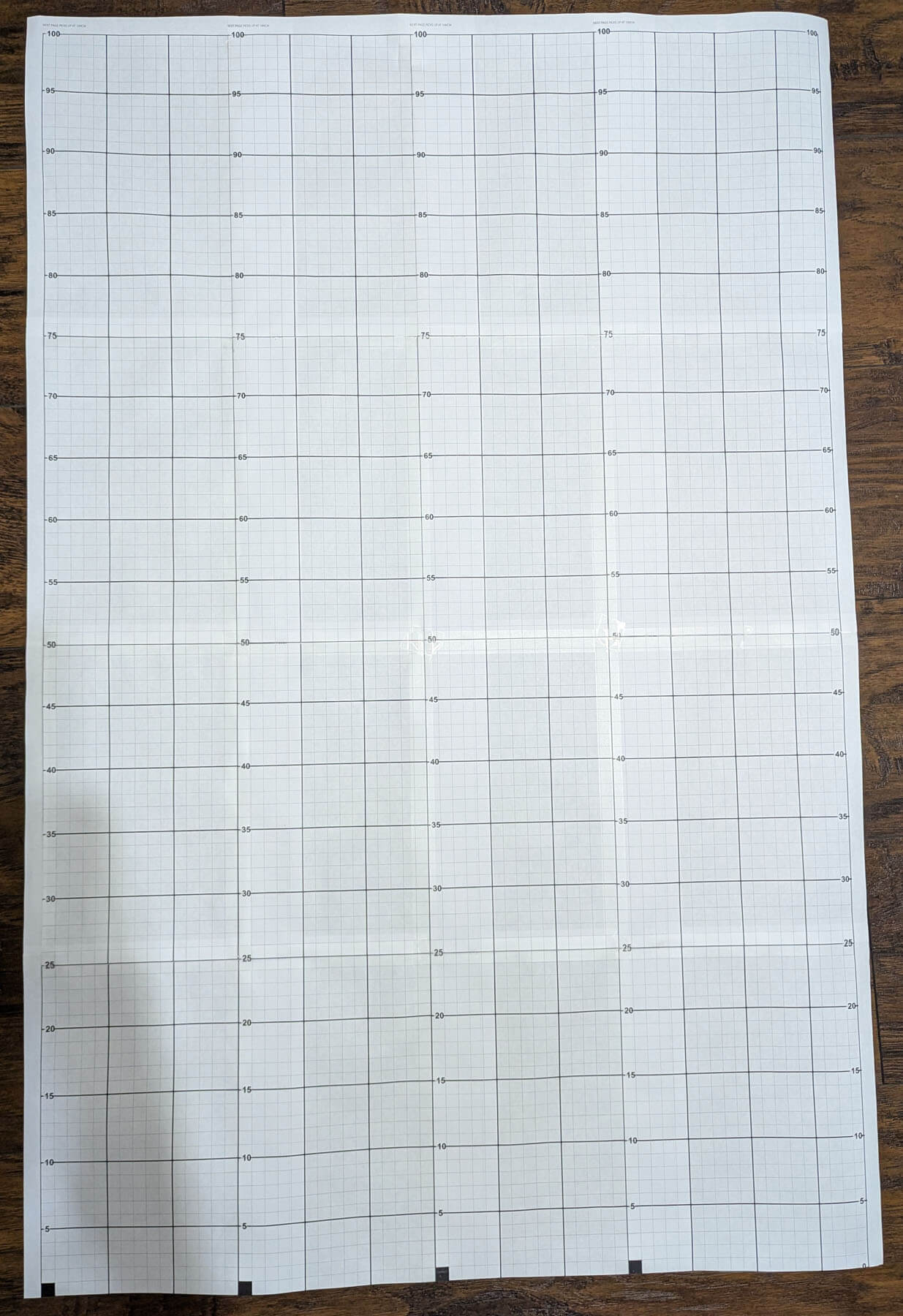
Example of a multi-set doll scale designed for wider and larger dolls.
Prepare your doll:
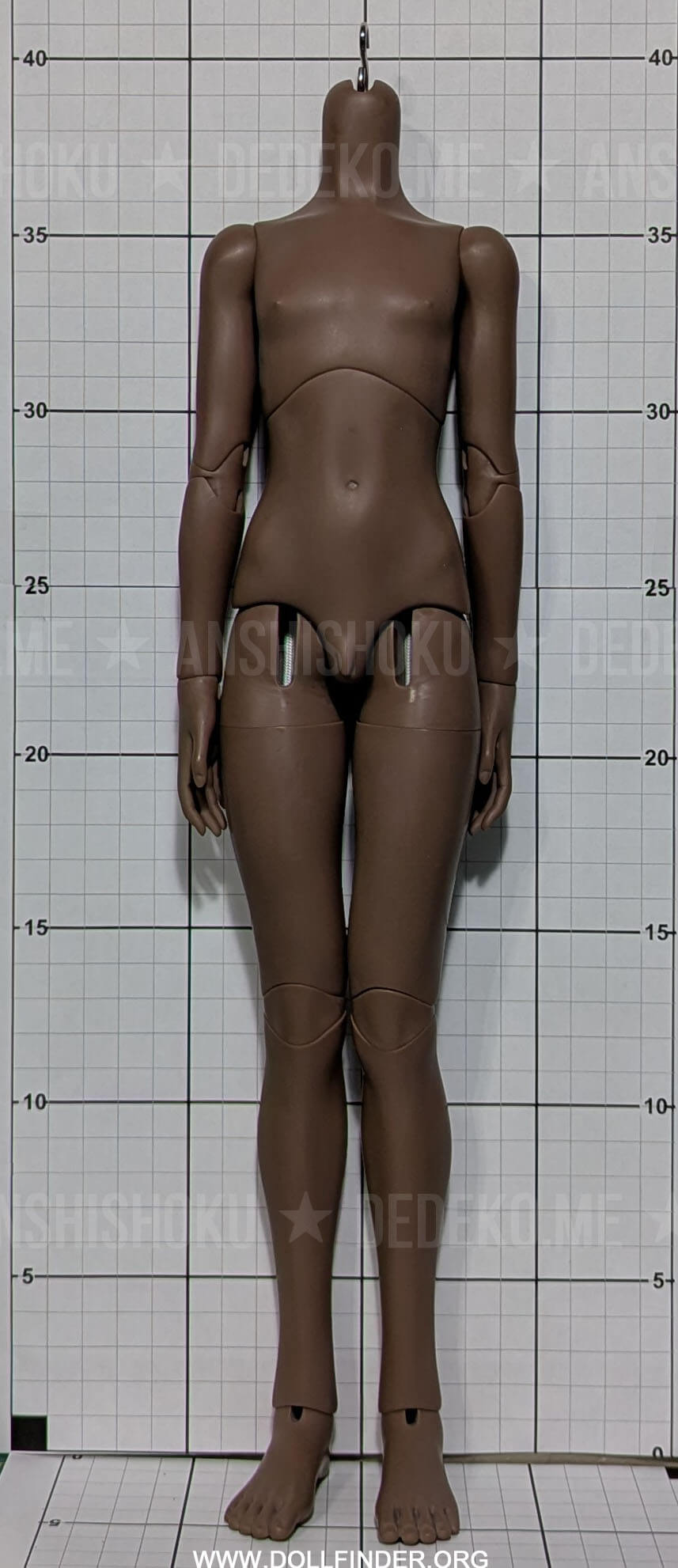
The body is actually 39cm as you see in the image. The camera angle was spot on.
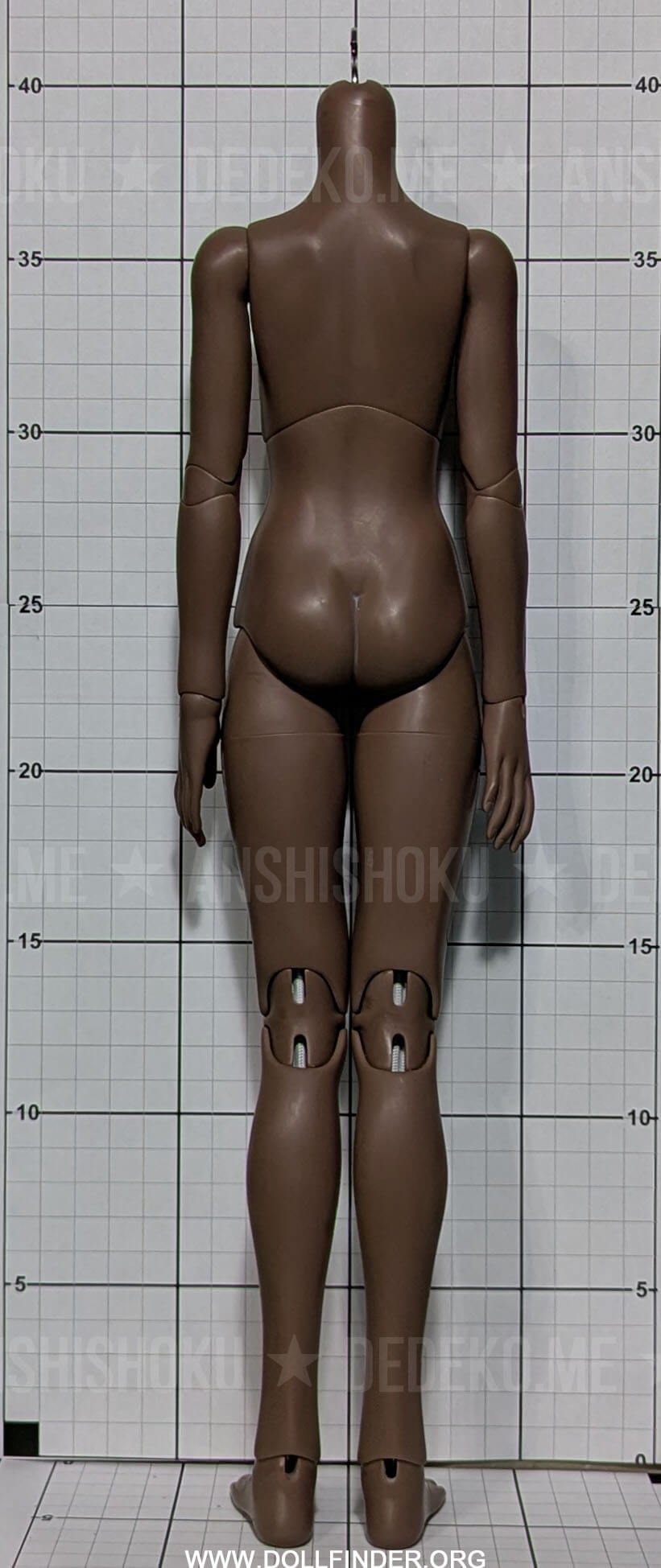
This body looks like it was 40cm. This means the subject was a) too far from the grid, or b) shot from slightly below. I did not use a tripod for these photos, which is why I recommend using one!
Camera & Doll Positioning
A simple way to check alignment is to tape a piece of string just below the camera lens. Gently stretch the string toward the doll and line it up with the doll's midpoint. If the string angles upward or downward, adjust the camera height until it is level.
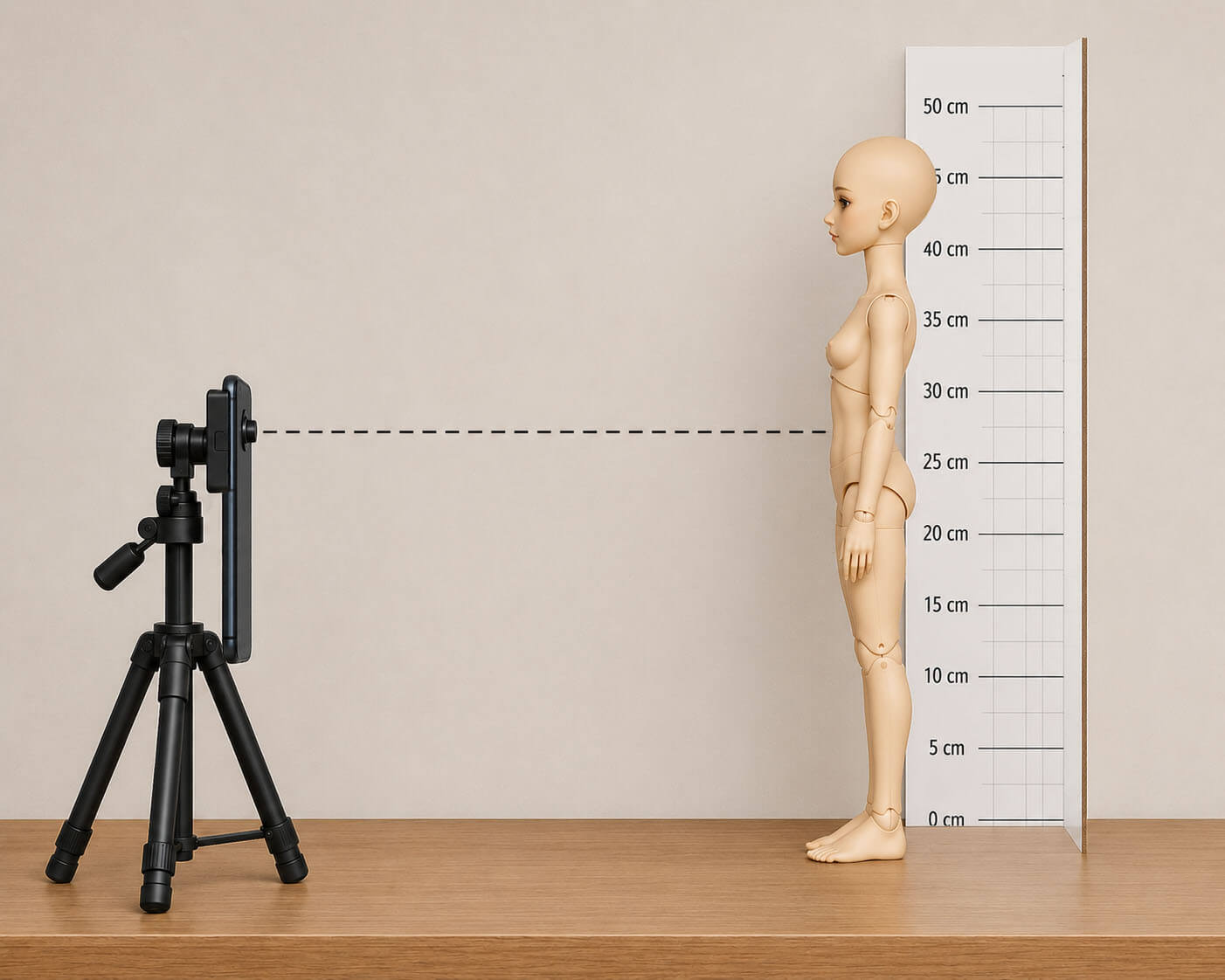
AI-generated for now, don't hate me. The real photo will come soon.
When taking your photos, try to stand at least 3 to 5 feet away (or more depending on the doll's size) from the doll. If you need a tighter shot, use your camera's zoom settings instead of physically stepping closer. Walking too close creates "lens distortion" (which gives the doll a subtle fisheye effect and warps the measurements), while stepping back and zooming keeps everything flatter and more accurate.
Editing & Watermarks
Doll stands cause the doll to stand too far away. In order to use one, you will need to slip the base underneath the paper.
You can use a cabinet or something similar that has a gap at the bottom to slip the base of the stand underneath so the doll and grid can sit flush with the cabinet.
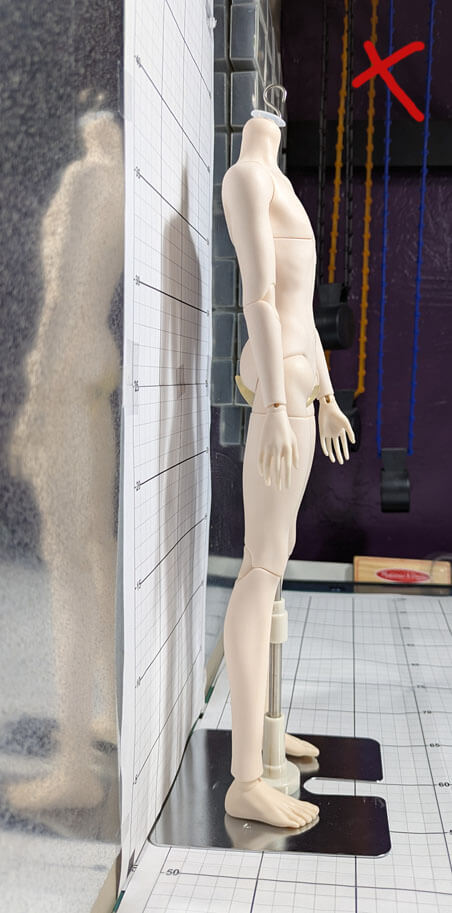
The base of the doll stand is under the paper, and the bottom is flush with the bottom of the doll stand/feet.
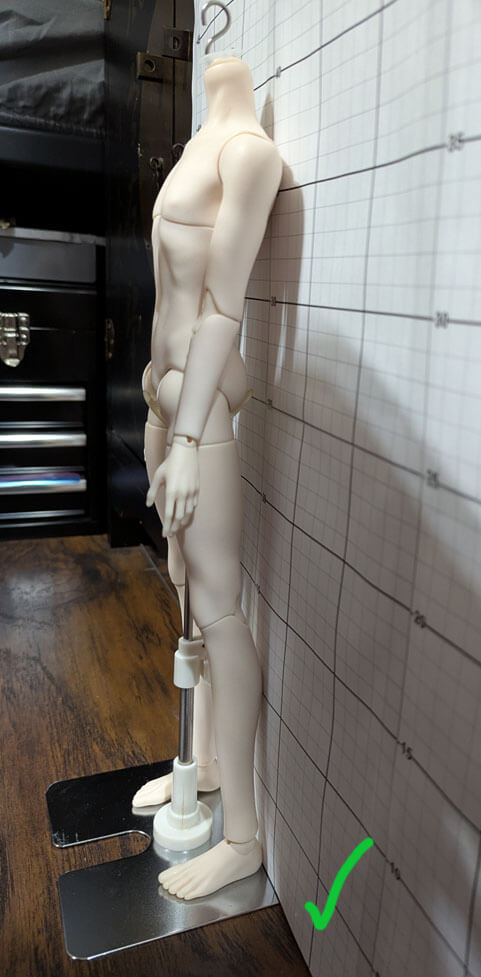
Make sure the grid is straight and not puckered and curled.
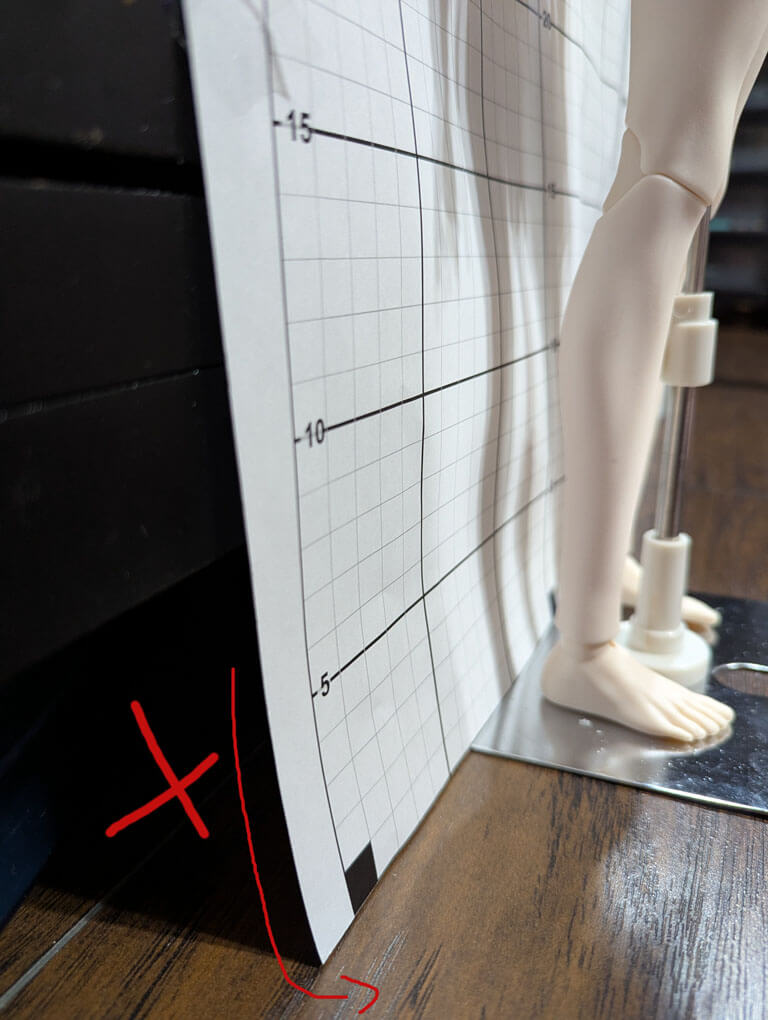
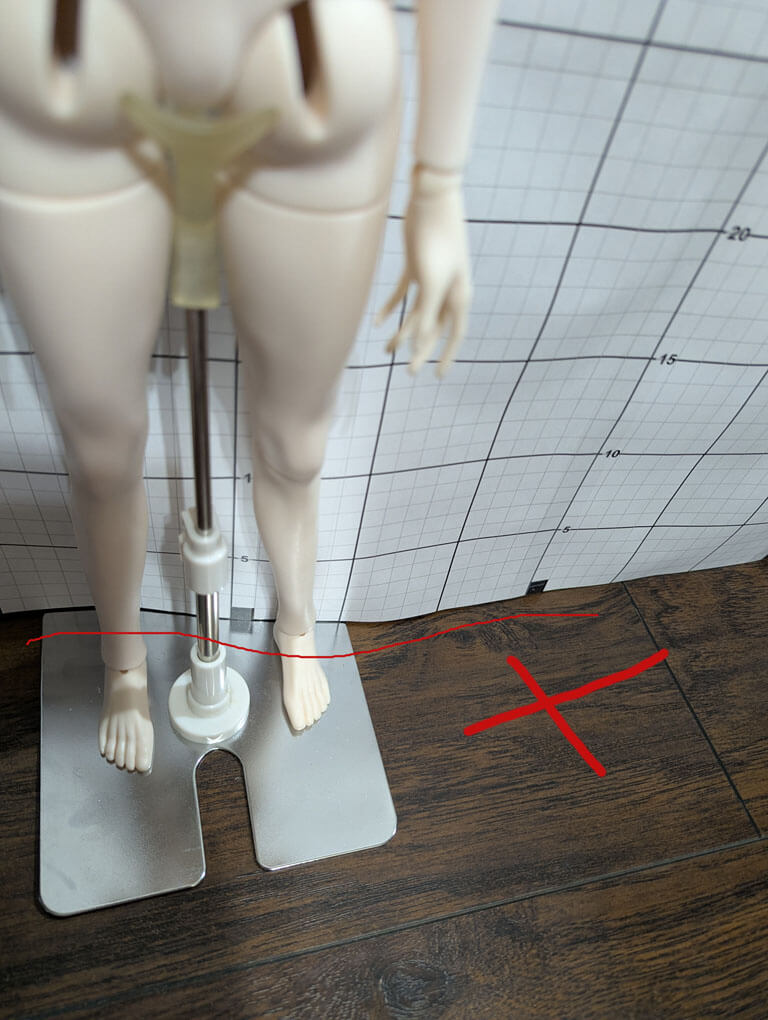
This is before I tape it. There was nothing to support the bottom of the paper so it was all over the place.
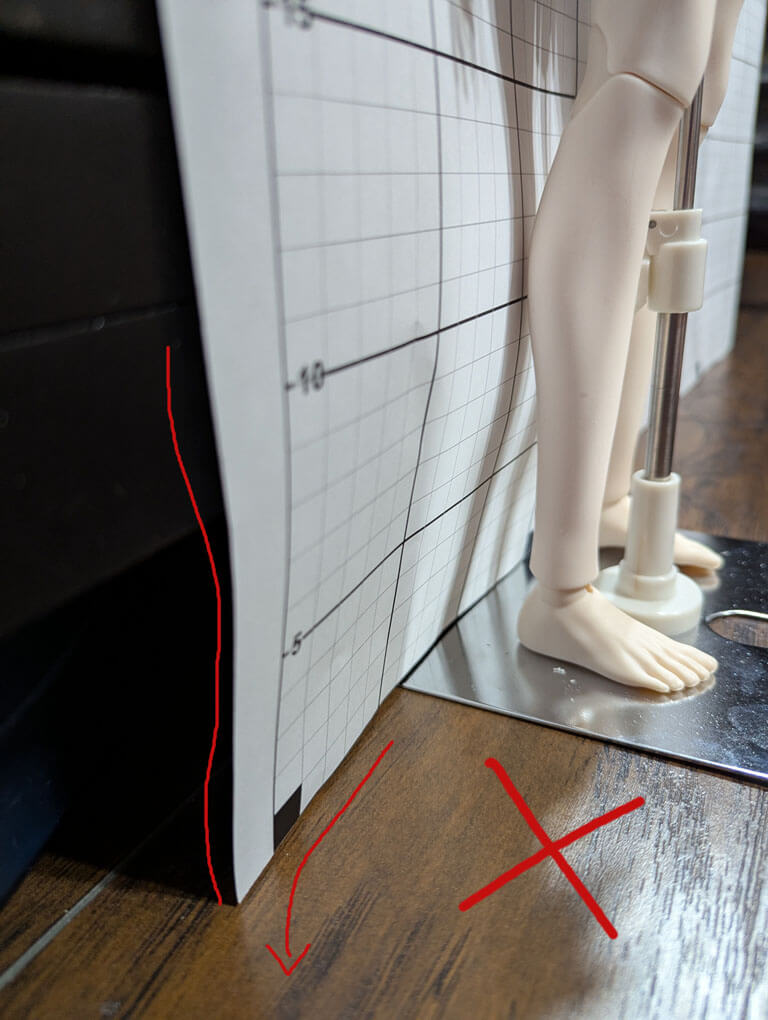
I taped the grid to a cabinet that had a gap at the bottom. I pulled it downward to make it taunt, then taped it to the floor to straighten it.
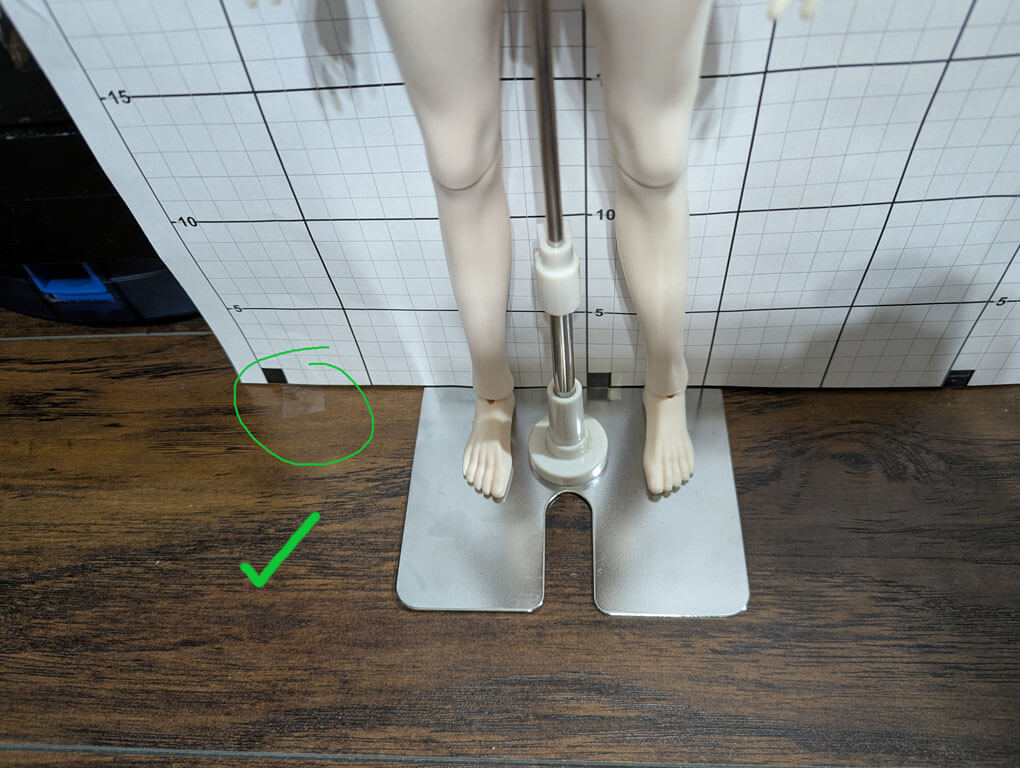
Now the bottom is straight, even though there is nothing behind it to support the paper. However, I failed to notice the pucket near his butt level. It's not bad, but I should fix it before taking a photo.
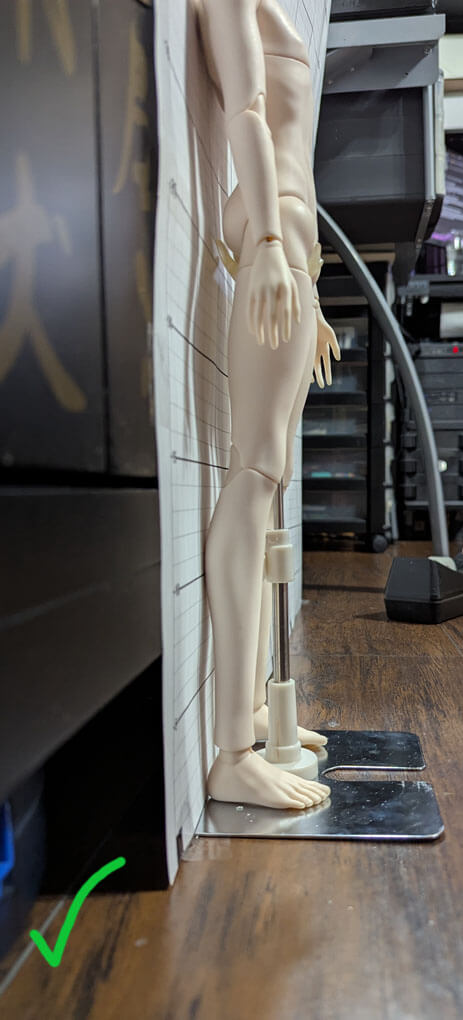
This is sort of what the photos should look like. The photos will be cropped and then uploaded. My camera was slightly tilted, but I could fix it in Photoshop.
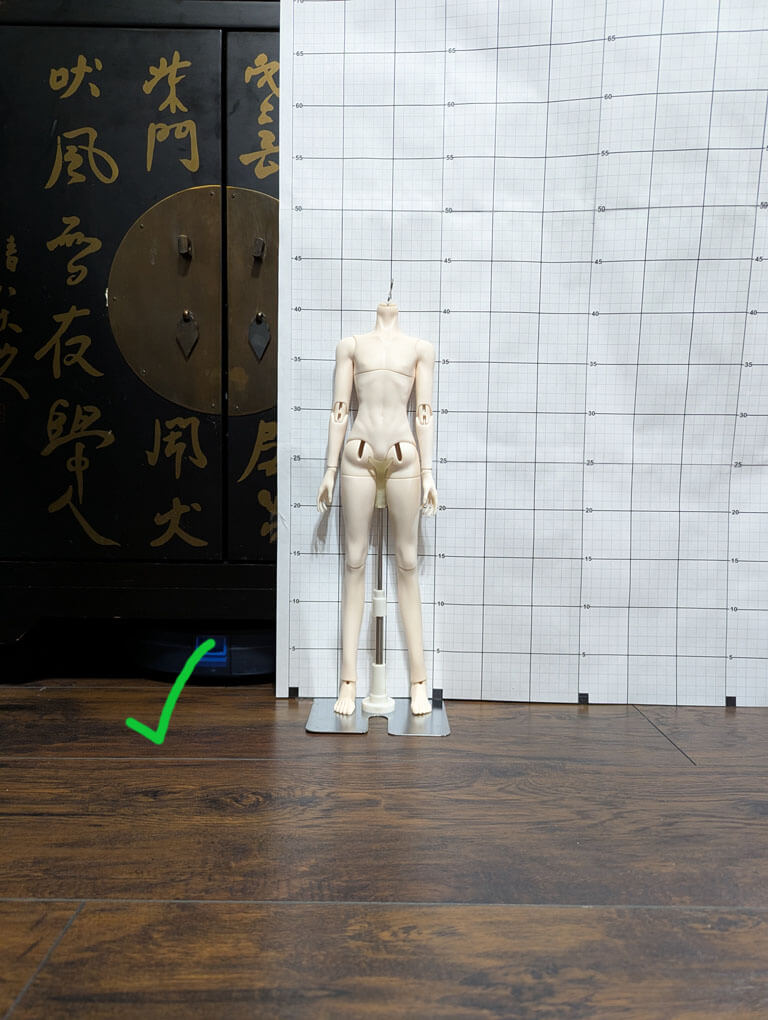
Uploading your Photos
Check the box if the doll is a hybrid. If not, leave it blank.
Please use TinyPNG or equivalent before uploading files!
Please be aware that I may need to straighten your photo if it's crooked or the perspective is off. I will not alter any watermarks or credits, as long as they are not harmful.
