Advertisement

Compare Dolls

This page is designed for use on a computer. Mobile viewing is not supported at this time.

Adding to Canvas

  1. Select the view you would like to see. You can choose between the front view, side view, and back view.
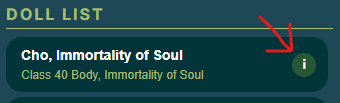
  2. Select the doll from the Doll List.

You may search, choose a size, and/or a gender before selecting the doll. The front view is the default view if you do not select a view before clicking on a doll from the doll list.

Using Clear All will clear everything from the search options and the canvas!

Note: Filter buttons are generated automatically from the database. If you don’t see options like SD or YoSD, it means there are no dolls of that size currently in the Canvas database. Consider adding some!

Manipulating Photos

  • To delete a doll from the canvas, simply click the red "X" at the top right-hand corner.
  • To resize the image to match up the grid, simply click and drag the red square at the bottom right-hand corner.

💡 Tip: Line the top-most measurements together, then grab the red handle of the larger doll and drag outward/downward until the lines match up.

Searching

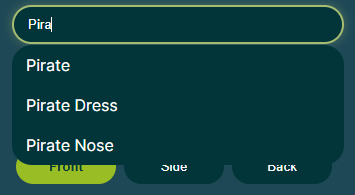
You can search for doll sculpt, doll company, and tags.

Each doll has a tag section. You can use these tags to search for keywords. If the tag exists, it will show up as a suggestion when you are typing. If it does not show up, it likely does not exist.

Tags can be inconsistent. Some contributors may not include them, or may use vague ones.

Filter by Size/Gender

Click the Size and Gender buttons to display the matching dolls. To remove a filter, just click the same button again to turn it off. At the moment, only one option can be selected at a time in each category.

Doffee, the Doll Finders mascot, is not available for use outside of this website. Doffee's character, design, and artwork belong to the owner of this website.

Any unauthorized use is strictly prohibited.

Copyright © Deadra Kolker 2025